The Problem The Solution The Impact
All Case Studies
Interaction Design Color Systems Safety 2024 Roche

Drawing users' attention to the right place at the right time.

Designing an intuitive color status system to bridge the gap between a physical scanner instrument and its software — reducing confusion, improving workflow clarity, and protecting patient safety.

Role Full Stack UX Designer
Timeline 2024
Platform Scan Application + Instrument UI
Deliverables Color System, Prototype, Dev Specs
The problem Misaligned color indicators between a physical scanner and its software UI were creating confusion and patient safety risks in clinical labs.
What I did Designed a unified color system and built a novel Figma prototype that simulated the physical instrument digitally — no hardware access required.
The outcome Delivered on time and within scope, keeping design out of the critical path and eliminating the hardware/software disconnect.
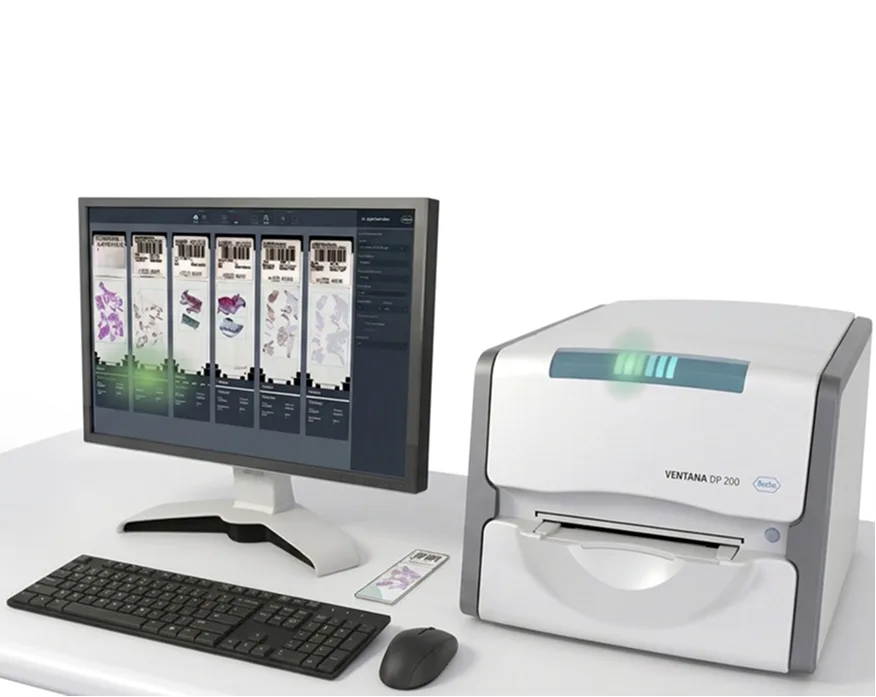
VENTANA DP 200 scanner with scan application software showing status indicators

The VENTANA DP 200 — the physical scanner whose LED status system the color design had to align with.

Overview

Where physical hardware meets digital interface

Roche's scan application software interfaces with their flagship scanners to facilitate high-definition imaging and digitisation of pathology slides — enabling remote scoring from anywhere in the world. The system uses colored lights both in the UI and on the physical scanner instrument to communicate complex workflow and error statuses to lab operators.

The challenge: those two systems — the instrument lights and the software status indicators — were not speaking the same language. The disconnect was creating confusion in the lab, slowing down operators, and introducing a risk to patient safety through potential delays in care.
The Problem

A disconnect that put patient safety at risk

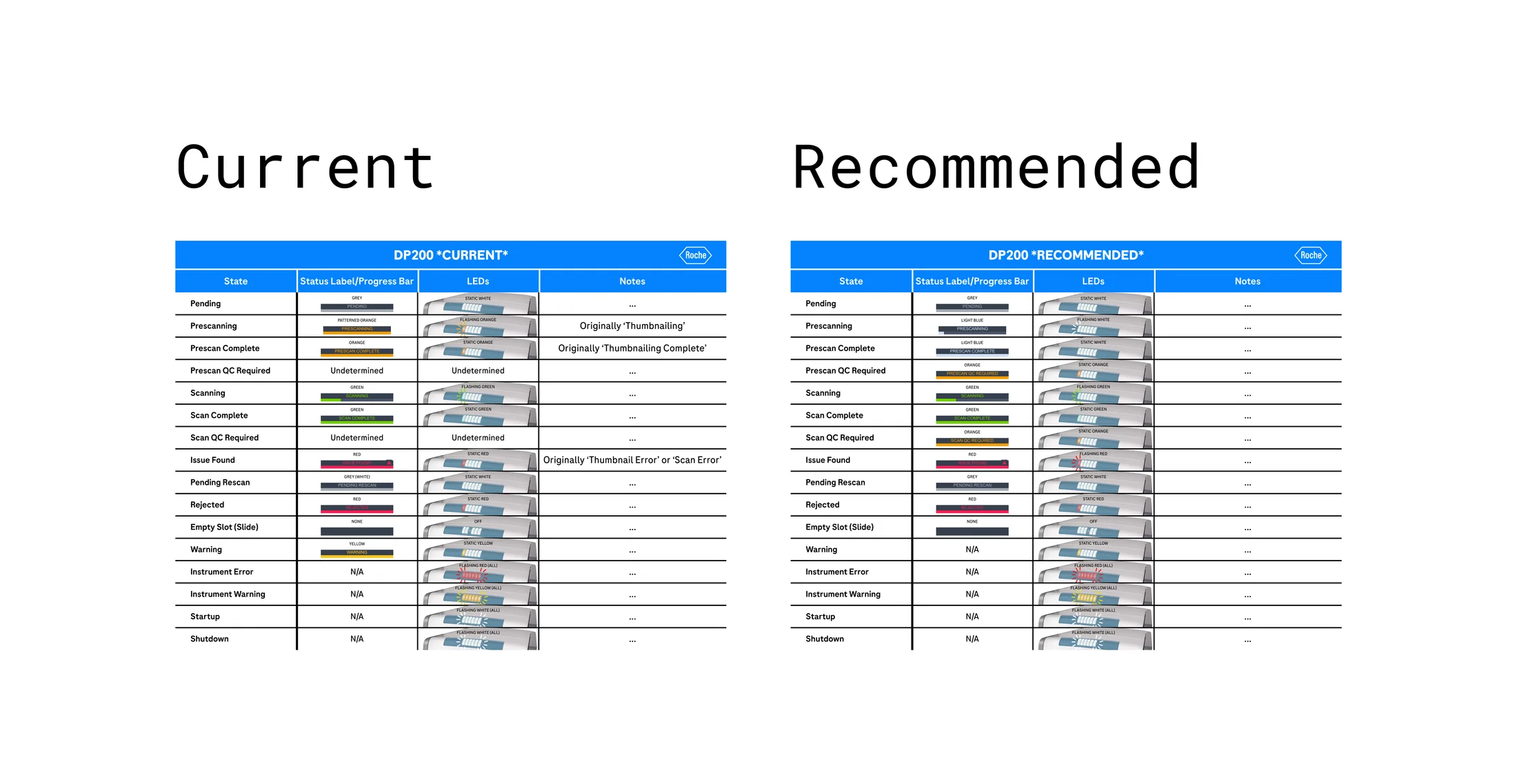
The status indicator lights on the physical scanner instrument and those displayed in the software UI were misaligned — both in color meaning and in the states they communicated. For lab operators managing high-pressure workflows, this created a real cognitive burden: which light do I trust? What does this color actually mean right now?

This wasn't just a usability problem. In a clinical pathology environment, confusion around instrument status can directly delay diagnosis. A slide mishandled at the wrong moment, a workflow stalled while an operator deciphers conflicting signals — these have downstream consequences for patients. The design needed to eliminate that ambiguity entirely.

Unintuitive status indicators
Instrument vs. UI color mismatch
Risk to patient safety
Inconsistency across products

Goal

One system. Two surfaces. Zero ambiguity.

The goal was to strategically create an intuitive, unified connection between the scanner instrument and the user interface by addressing two things simultaneously:

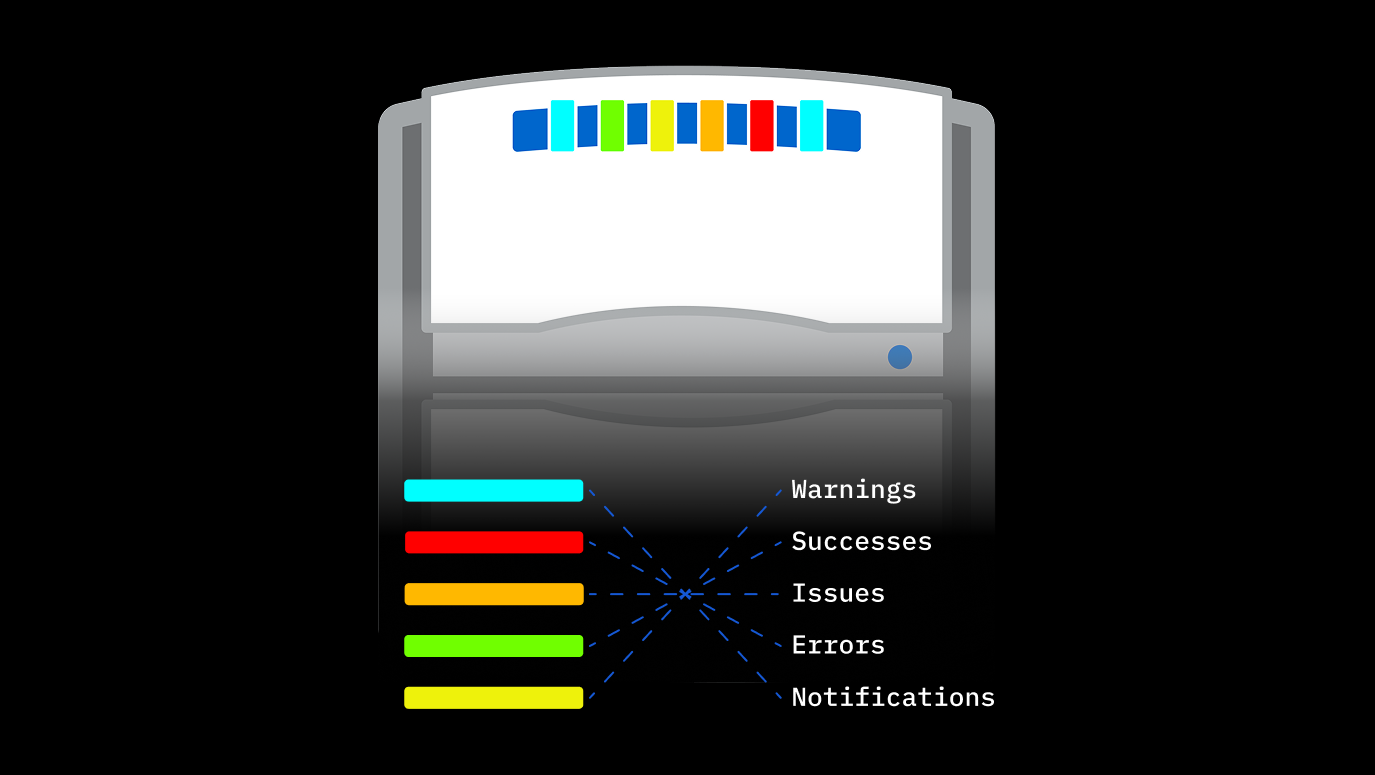
1. Design a color system for status indicators that helps users intuitively navigate and understand workflow and error states — warnings, successes, issues, errors, and notifications — without needing to memorise meanings.

2. Align the status indicators with other Roche scan app software to create a learnable, consistent experience across the product family — so that operators moving between products carry their mental model with them.

Process

Five phases from discovery to delivery

01 Discovery

Understand the problems and frustrations users are facing and begin framing potential solutions.

02 Ideation

Workshop workflow diagrams and wireframes with internal stakeholders to establish direction.

03 Design

Create high-fidelity mockups and prototypes using research and stakeholder feedback.

04 Feedback

Put vetted designs in front of stakeholders for quick iteration cycles.

05 Development

Finalise mocks with detailed implementation notes and partner with developers through delivery.

Discovery
Started with conversations with subject matter experts and a full review of all available scanner documentation. I focused on three core questions: who are the users and what do they need from status indicators? Where exactly are the gaps between the instrument lights and the UI status bars? And what constraints exist for implementation — both technical and across similar products?
Ideation
Brought experienced stakeholders together to map currently implemented color statuses and identify commonalities with similar Roche products. From there, we assigned clear semantic meaning to each color — warnings, successes, issues, errors, and notifications — creating a shared vocabulary before a single pixel was designed.
Design
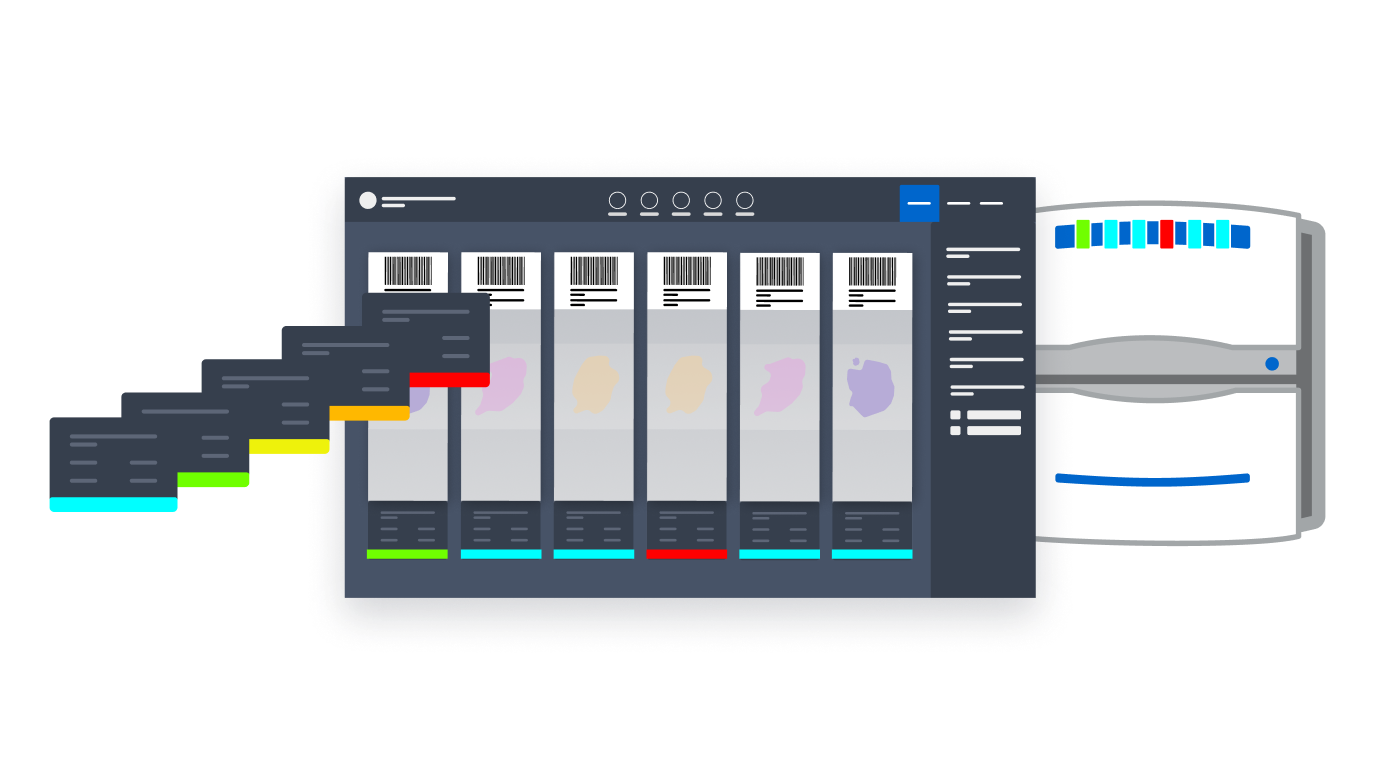
Was where the real challenge emerged: how do you prototype the interaction between a physical device and its software without access to either? I built a high-fidelity prototype in Figma that included a miniature avatar of the scanner instrument inside the interface itself. Status light colors on the instrument avatar mirrored those in the UI — blinking lights blinked in sync, red error states halted the workflow just as they would on the real scanner. It was a completely modular, editable representation of a real user workflow.
Feedback
Sessions used this prototype to drive productive stakeholder discussions in real time — no physical scanner needed, no code changes required. Stakeholders could see color combinations working live across both surfaces simultaneously, enabling rapid iteration toward a vetted outcome.
Development
Involved close collaboration with the engineering team, tracking implementation in regular meetings and demoing progress to ensure the final product faithfully reflected the approved designs.
How do you prototype the interaction between a physical device and its software without access to either?

Business Challenge

Prototyping a physical device without touching one

The central design challenge was unique: I needed to visually communicate and discuss design decisions involving a physical instrument — without access to that instrument, and without the ability to modify production code to test color combinations live.

The solution was to treat the prototype itself as a communication tool. By embedding a faithful digital replica of the scanner inside the Figma prototype, I created a shared reference point that made design decisions legible to developers, stakeholders, and product owners alike — eliminating ambiguity and compressing the feedback loop significantly.

A second constraint was the hardware itself: the scanner's LED system had a fixed palette of available colors. The design system had to work within those hardware limits, mapping the right semantic meaning to each available light color rather than designing freely and discovering limitations late.

Scanner with digital interface showing synchronized status indicators

The Figma prototype embedding a digital replica of the scanner instrument alongside the software UI — enabling live stakeholder review without hardware access.

Outcome

On time, within scope, and out of the critical path

The final color status system was delivered on time and within scope — complete with detailed implementation documentation for the development team. By creating a novel method of prototyping a physical device digitally, the project massively reduced the time and effort that would otherwise have been spent on back-and-forth between design and engineering, freeing both teams to focus on quality and iteration.

Critically, on-time delivery kept design out of the critical path — ensuring no downstream project activities were blocked, and that the product team could maintain their development timeline without compromise.

What this project achieved:

Delivered on time & within scope
Novel physical-digital prototype method
Unified color system across products
Design kept out of critical path
Next Case Study Designing safe, modular workflows for novel digital pathology algorithms.

Get in touch

Interested in connecting?

I'm always open to discussing new opportunities, collaborations, or just a good design conversation.